
How to switch from Anow to AppraisalNest
Bring your history with you: orders, clients, dates, fees, payments and notes. Getting your orders out of Anow (Appraisers Now) takes about 10 minutes, and nothing in Anow changes.
Export your orders from Anow
This only makes a copy of your orders as a spreadsheet file. Use a computer.
- Sign in to Anow at secure.anow.com.
- Click your name at the top right, then Insights. If you don't see Insights, it's for your Anow admin, so ask whoever runs your Anow account.
- Click Custom Reports on the left.
- Click the green Generate New Report button.
- Detailed is already picked. Leave it.
- Under Select your data, tick every box in every column (about 100). Scroll the list sideways to reach the last columns. Tick the Expense boxes only if you tracked expenses in Anow.
- Leave the Filters as they are, so every order comes out in one file.
- Name the report, such as "All Orders", and click Run & Export CSV. The file downloads, usually into your Downloads folder.
Lots of orders? If Anow freezes or never finishes, export one year at a time: change Order Date to is between and pick January 1 and December 31 on Anow's calendar (don't type the dates). Repeat for each year. Overlapping files are fine.
Bring them into AppraisalNest
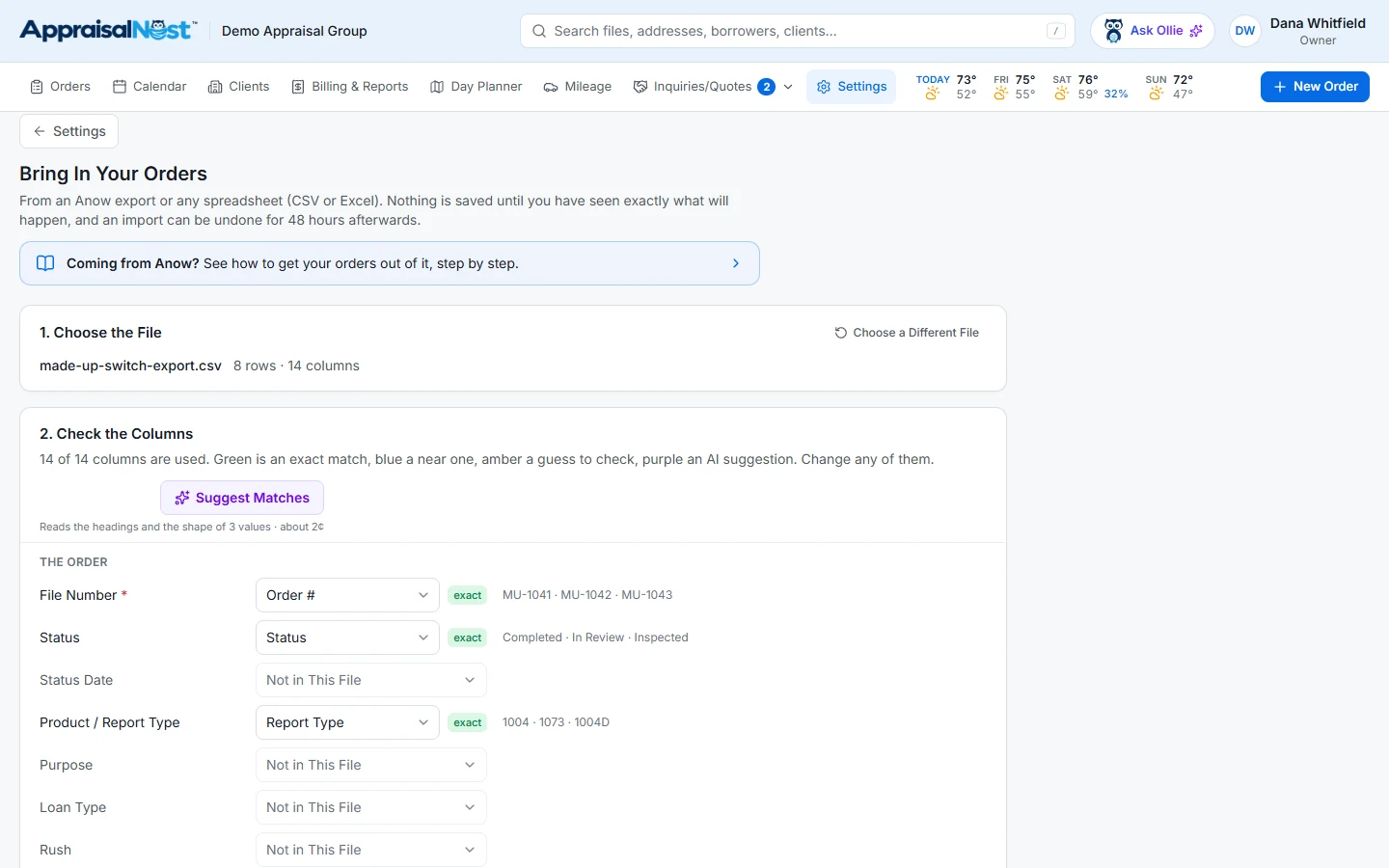
In AppraisalNest, open Settings, then Bring In Orders. You see exactly what will happen before anything is saved.
- Choose the file. Drop in your Anow export. AppraisalNest recognizes it as an Anow export.
- Check the columns. Each column is matched for you. Green is an exact match, blue a near one, amber a guess to check, and purple an AI suggestion. Change any of them.
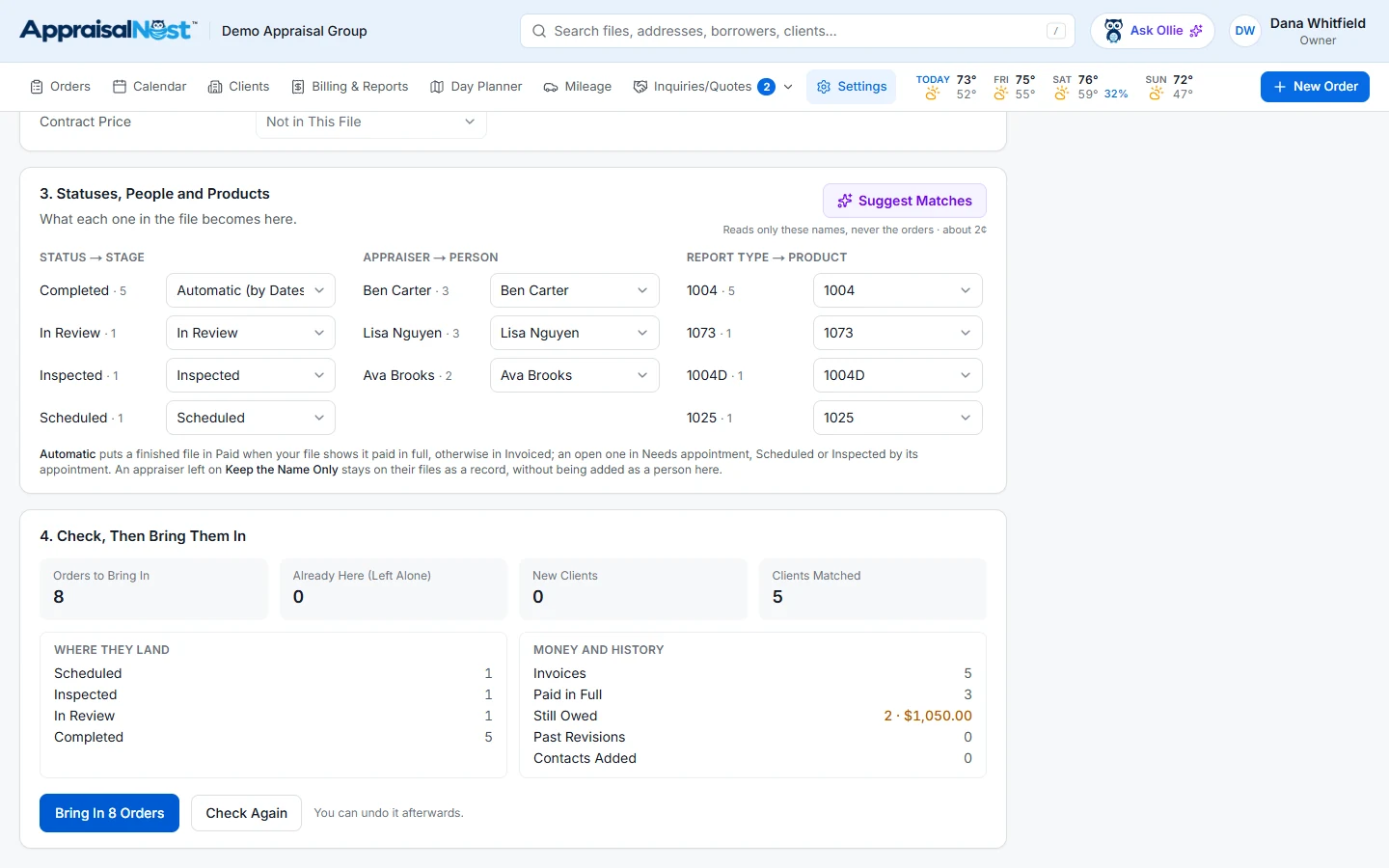
- Statuses, people and products. Say what each Anow status, appraiser and report type becomes in AppraisalNest. AI can suggest the matches for you.
- Check, then bring them in. See the counts, and what will be skipped and why, before you press Bring In.
Good to know
Will anything change in my Anow account?
No. Exporting only makes a copy of your orders.
What if I bring the same file in twice?
Orders already in AppraisalNest are left alone, so nothing is doubled.
Can I undo an import?
Yes. You can undo an import for 48 hours.
I'm not on Anow. Can I still switch?
Yes. Any system that saves your orders as a spreadsheet (CSV or Excel) works, such as Appraisal Inbox or Appraisal Ally.
Can someone help me?
Yes. We help you move for free and check every record with you. Book a demo, or email [email protected].
Anow's screens may change. If a step looks different, email us and we'll walk you through it. Anow and Appraisers Now are names of their owner. AppraisalNest is not affiliated with Anow.